4 reasons why I migrated from Zoneminder to this free NVR on Home Assistant


When self-hosting as much as you can to save on cost, headaches, and keeping control of all of your data, you've likely come across network video recorders (NVR) solutions such as Frigate and Zoneminder. I've used the latter extensively for a few years, and only recently have I made the switch to Frigate, largely due to my esteemed colleague Ayush Pande's excellent coverage. These handy packages allow you to connect IP cameras and can track, monitor, and even alert you to various events.

If you’re looking for a self-hosted surveillance solution, you won’t be disappointed with either solution, but I'm going to explain why I made the leap from Zoneminder to Frigate.

4Lightweight container

Runs on just about anything

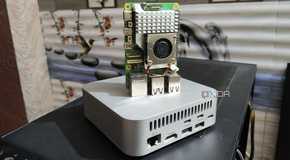
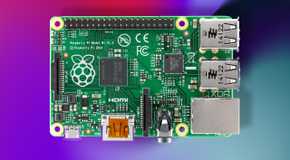
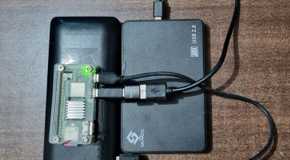
While it's great to have some server-grade equipment at hand for creating the ultimate home lab, we know not everyone has such hardware. That's where containers come into play, and Frigate is one lightweight package, capable of running on something as low-power as a Raspberry Pi. Even if all you have at hand for Frigate is an ARM-based NAS or an SBC as your primary self-hosting workstation, Frigate’s lightweight nature can deliver decent performance in your NVR workloads.

All that's required is the purchase of some IP cameras (just make sure they're on the supported list for Frigate), and you're good to go. You should be good with low-power hardware for a few cameras, but you may need to step it up to something slightly more capable when adding countless feeds and needing to record and save from all of them. It's also here where you'll be able to leverage the computing power for AI detection and other useful features, or even run some other Docker containers.

Related
4 reasons Frigate is an amazing home surveillance platform

Armed with several surveillance features, Frigate is one of the best NVR tools on the block

3Less-cluttered UI

Easier to work with

One thing I couldn't get on with Zoneminder was the user interface. It's not terrible in that you can't use the NVR to get the job done, but for less tech-savvy individuals, it can be quite the daunting UI. Zoneminder is a little like GIMP in that regard. It's packed to the brim full of advanced features, but it's easy to get lost in the ocean of jargon and possibilities. Frigate contrasts this with a well-presented layout that makes it easy to fire up feeds and configure everything without feeling like you're missing out on anything.

And of course, Home Assistant is fully supported, so you can have feeds directly in the dashboards for family members to rely on, so they don't have to touch Frigate.

Related
4 reasons why you should secure your home with ZoneMinder on your NAS

ZoneMinder can transform your home security.

2More accurate (for me)

This one's subjective

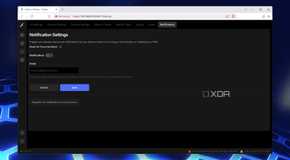
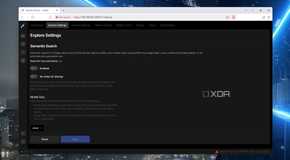
Editing the tracking settings on Frigate

Setting up your own surveillance system is great, but only if it stays out of your way unless needed. This is where detection algorithms come into play, only alerting you and saving footage if specific rules and conditions are met. There's nothing worse than your security system sending false alarms, filling up your phone with notifications you would have otherwise avoided. With Frigate and some AI acceleration, you can rely on the alerts being true and worth checking, even if you're lying on a beach with a mocktail.

That's not to say Frigate is immune to providing these false flags, but I found it to be less prone to mistakenly notifying all our devices about potential intruders. Frigate lets you configure filters, masks, and zones to increase the accuracy of its reports. And that’s before you include its solid auto-tracking provisions that can move PTZ-compatible cameras to follow moving objects.

Related
How I self-host Frigate to power my home surveillance system from my NAS

With a little bit of elbow grease, you can build a powerful NVR combo by pairing a Frigate instance with your storage server

1AI accelerator compatibility

Ultimate versatility

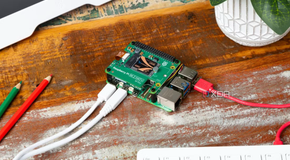
Okay, this is the coolest part about using Frigate. The NVR solution can interface with a wide range of AI-accelerated tracking provisions, allowing you to integrate aftermarket trackers into your surveillance setup. Frigate allows for OpenVINO and Tensor-powered AI acceleration for CPUs and GPUs, respectively. The support for Hailo-8L and Coral Edge TPU is present, however, so you can make the most of the available chips in devices like the Raspberry Pi AI Kit. But so long as your hardware is up to scratch or you have dedicated parts for the AI work, Frigate can leverage the available bandwidth.

Utilizing any spare AI modules is great for ensuring you're only recording events that truly matter. Don't have one at hand? Go for the Coral Edge TPU module, which is also compatible with mini-PCs and NAS units and will work well with Frigate.

Related
I automated my home with Home Assistant and Node-RED, and it was so worth it

Node-RED is an upgrade, flow-style option to create nifty automations without overloading the Home Assistant

Getting started with Frigate is easy

Making the switch from Zoneminder to Frigate was painless. This was largely in part due to the fact that I put together an entirely new system for Frigate to run on, but it would have been a similar case regardless. Installing Firgate is as easy as deploying a Docker container, and everything was connected to network storage and up and running in minutes. The fact that I can use AI accelerators, get almost everyone using the integration with Home Assistant, and manage to keep my home safe in the process makes this one incredible piece of tech.

Comments

Popular posts from this blog

Starlink is only for the rich or for big offices!" — that’s what many people think

  "Starlink is only for the rich or for big offices!" — that’s what many people think. But actually, that’s not true. With a little effort and some smart planning, even ordinary people in villages — shopkeepers, rickshaw pullers — can use this high-speed internet if they come together as a group. How is it possible at such a low cost? Let’s break it down: Starlink’s monthly bill is around 4,200 to 6,000 BDT. That may seem expensive for one person, but if 20 to 25 people share the cost, it becomes very affordable: Monthly cost per person (if 20 people share): 4,200 ÷ 20 = just 210 BDT! One-time setup cost (dish, router, etc.): Around 50,000 BDT (only paid once) So even a rickshaw puller could use high-speed Wi-Fi by paying just 200–250 BDT per month! Here’s how it works, in simple steps: 1. Install the Starlink dish in an open space with a clear view of the sky. 2. A cable runs from the dish to the Starlink modem. 3. The modem is connected to a Wi-Fi router. 4. The ...

Level Up Your Code: Discover 2025's 10 Leading AI Assistants for Coders

  In 2025, testing software isn't just about finding bugs — it's about working smarter. With the rise of powerful and accessible AI tools, Vibe coders now have the opportunity to test faster, more efficiently, and with fewer headaches. AI testing tools are driving this transformation. These tools go beyond basic automation — they can detect edge cases, write test scripts, debug in real time, and even suggest fixes or improvements. In this list, we’ll explore the top 10 AI testing tools every modern developer should know. Whether you're coding a quick prototype or managing a large-scale project, having the right AI assistant in your workflow can make a huge difference. That’s why we’ve put together this list of 20 must-try AI coding agents. From full-stack builders to browser automators and IDE companions, these tools are shaping the future of development and you’ll want to know about them. Build APIs Faster with  Apidog  Say goodbye to tab-switching. If you are working wi...

5 Great Linux Utilities to Monitor Your System Resources in the Terminal

  Although the standard Linux utilities have served us well over the years, in some scenarios they fall short. If you've ever found yourself writing a one-liner to poll a command or struggling to parse a badly formatted table, then it's a clear sign that the tools at hand are lacking. What you need are better tools; what I have are better tools—five that will make your Linux life easier. 1 NCurses Disk Usage (ncdu) To view the sizes of directories, du is a solid choice, and it's generally the first pick for most people. However, it lacks exploratory capabilities. A few times a year, my system complains to me that it's running low on disk space, and I find myself exploring the file system to manually delete large directories of accumulated garbage. This is where du lacks, and where ncdu shines. With its simple interface,  ncdu provides blazing-fast exploration to size up directories . Those familiar with Vim will feel at home because it uses Vim keys for navigation; tho...